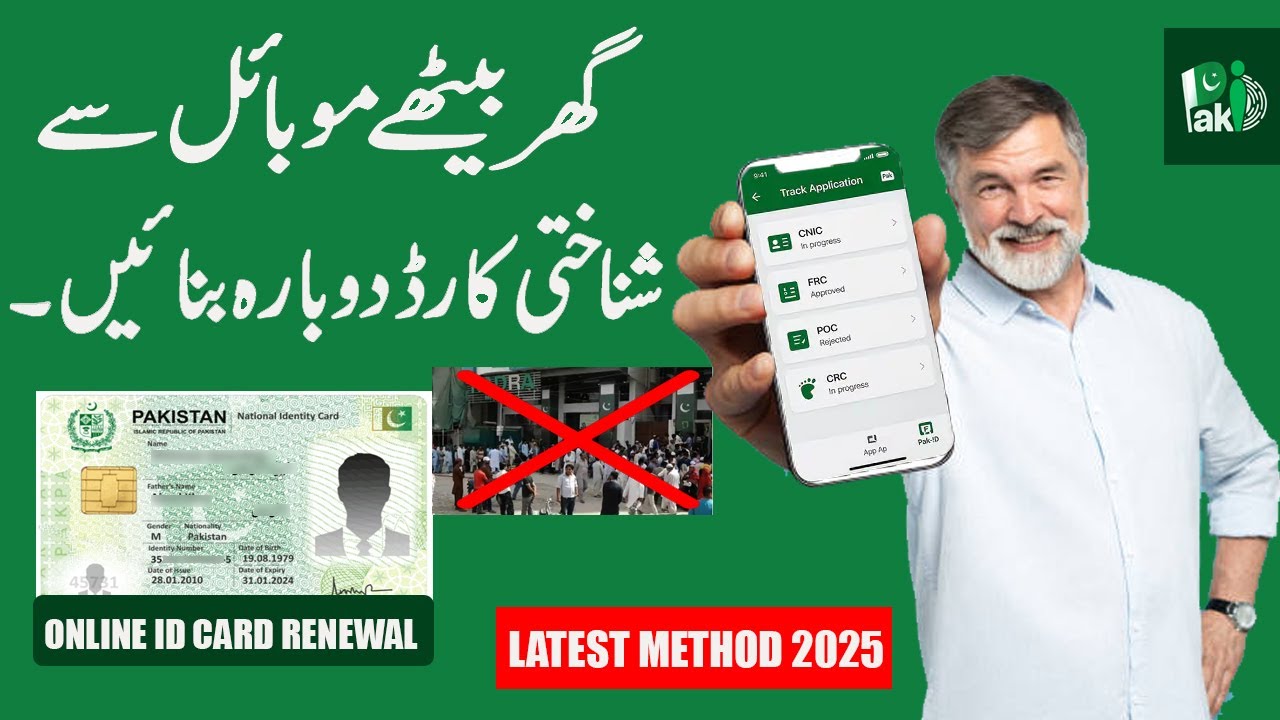
Pakistan has rapidly transformed its digital services over the past few years, and one of the most significant advancements is the expansion of online identity solutions through the NADRA Pak Identity application. This system has completely changed the way Pakistani citizens—both living inside the country and abroad—apply for and manage their identification documents. Instead of standing in long queues at NADRA centers, people can now apply for CNIC, NICOP, POC, FRC, and other identity documents from the comfort of their homes. NADRA Application Pak Identity – Complete Guide 2026
This detailed 1500-word guide will help you understand everything about the NADRA application, known as Pak Identity, including its features, benefits, step-by-step usage instructions, fees, processing time, required documents, and more. Whether you are a resident Pakistani, an overseas citizen, or someone needing to renew your identity card—this guide is for you.
What Is NADRA Pak Identity?
Pak Identity is the official online identity management system launched by NADRA (National Database and Registration Authority). Its purpose is to provide a fast, secure, and convenient digital platform where citizens can apply for, renew, or update their identification documents without physically visiting a NADRA office.
The service runs on three main pillars:
- Digital Documentation – Upload your documents online
- Online Biometric Verification – Submit fingerprints using a form and phone scan
- Home Delivery of ID Cards – Receive your CNIC/NICOP/POC right at your doorstep
Pak Identity is available to:
Pakistani citizens living in Pakistan
Overseas Pakistanis
Dual-national Pakistanis
Pakistani family members seeking verification services
This platform has become essential for anyone needing national identity services in a digital, fast, and reliable way.
Services You Can Access Through Pak Identity
NADRA has integrated almost all major identity services into the Pak Identity application. Here are the most important ones:
- New CNIC (National Identity Card)
For Pakistani citizens turning 18.
- CNIC Renewal
If your ID card has expired or is close to expiry.
- Modification of CNIC
To update name, address, marital status, date of birth, or other information.
- NICOP (National Identity Card for Overseas Pakistanis)
Required for dual-national Pakistanis and expats working or living abroad.
- POC (Pakistan Origin Card)
For foreign nationals with Pakistani heritage.
- Family Registration Certificate (FRC)
Used for visa processing, educational admission, and family record verification.
- CRC / B-Form for Children
Child registration certificates can be applied through the online portal.
- Online Tracking & Status Updates
You can track your application at any stage.
- Home Delivery (Local + International)
Your card is delivered through a secure courier service.
This digital system saves time, reduces office crowding, and speeds up official verification processes.
Benefits of Using Pak Identity Application
- Avoid NADRA Office Visits
The biggest advantage is that you don’t need to travel or wait in long lines.
- 24/7 Access
Pak Identity works anytime, anywhere in the world.
- Online Fee Payment
Supports credit cards, debit cards, and international payment methods.
- Global Accessibility for Overseas Pakistanis
Overseas citizens can renew NICOP or POC directly from their home country.
- Digital Biometric Submission
No need for physical fingerprint machines—upload scanned biometrics.
- Secure and Encrypted System
NADRA uses advanced encryption and security protocols.
- Fast Delivery Options
Urgent and executive services ensure rapid processing.
Complete Step-by-Step Guide to Using Pak Identity
Below is the simplified procedure to help you use the portal easily.
Step 1: Create Your Pak Identity Account
Go to the official Pak Identity website or app and click Create Account.
You will need:
Email address
Mobile number
Password
Verify your account using OTP codes sent to your phone and email.
Step 2: Choose the Service Type
Once logged in, select the type of service you want:
New CNIC
CNIC renewal
Modification
NICOP
POC
FRC
Each service has separate requirements and processing time.
Step 3: Fill Out the Digital Form
Enter:
Personal details
Family tree information
Marital status
Permanent and temporary address
Make sure all information matches your existing NADRA records (if applicable).
Step 4: Upload Required Documents
Depending on the service, you may need:
Birth certificate
Old CNIC
Passport copy
B-Form
Marriage certificate
Matric result card (for date of birth verification)
Residence proof
Supporting documents for information change
Upload clear scanned copies.
Step 5: Biometric Verification
Pak Identity uses a simple scanning method:
- Print the fingerprint form
- Take your fingerprints using ink or black marker
- Scan the form with your phone
- Upload it to the application
For overseas applicants, this method is especially convenient.
Step 6: Pay the Application Fee
Fees vary by service and urgency level:
Normal Fee
Urgent Fee
Executive/Premium Fee
Payment methods include:
Debit card
Credit card
Visa/Mastercard
International cards (for NICOP/POC)
Step 7: Submit the Application
Review your data carefully and submit. You will receive an Application Tracking ID.
Step 8: Track Your Application
You can view:
Processing status
Verification step
Printing stage
Dispatch details
Tracking is updated live on the dashboard.
Step 9: Receive Your ID Card at Home
Finally, your CNIC, NICOP, or POC will be shipped to the address provided in your application.
For overseas deliveries, courier time depends on location and country.
Required Documents for Different Services
Here is a breakdown of required documents:
For New CNIC
Birth certificate
Matric certificate
Form B
Parent’s CNIC copies
For CNIC Renewal
Expired CNIC copy
For CNIC Modification
Depending on the change, documents may include:
Marriage certificate
Divorce certificate
Matric certificate
FRC
Court order (rare cases)
Address proof
For NICOP
Valid passport
Old NICOP/CNIC
Father/Mother CNIC copy
For POC
Passport copy
Family link documents
Proof of Pakistani origin
For FRC
Parents’ CNIC copies
Spouse CNIC copy
Children’s B-Forms
Processing Times
Processing times depend on service type and selected package:
CNIC
Type Time
Normal 7–15 working days
Urgent 4–7 working days
Executive 2–4 working days
NICOP (Overseas)
Type Time
Normal 10–20 working days
Urgent 7–10 working days
Executive 5–7 working days
POC
Type Time
Normal 15–30 days
Executive 7–15 days
Common Problems Users Face
Although Pak Identity has become a powerful digital platform, some users still face challenges:
- Fingerprint Scan Errors
Users may need to scan fingerprints multiple times for clarity.
- Document Rejection
Low-quality or cropped documents get rejected.
- Payment Issues
Especially when using international debit/credit cards.
- Slow Website During Peak Hours
High traffic sometimes delays loading.
- Human Verification Delays
Some cases require manual verification by NADRA officials.
Tips for a Smooth Application Process
Use a high-resolution scanner for document uploads
Make sure your fingerprints are clean and well-pressed
Always use the same name and spelling as in previous records
Keep supporting documents ready before starting
Use a stable internet connection
Save screenshots of your tracking ID
Is Pak Identity Safe?
Yes. NADRA uses:
End-to-end encryption
Multi-layered security
Biometric authentication
Secure web protocols (SSL)
Fraud-proof verification
These measures ensure your data remains confidential and protected.
Final Thoughts
The NADRA Pak Identity application is one of the most advanced digital identity management systems in South Asia. It has simplified how Pakistanis around the world apply for CNIC, NICOP, POC, and other identity documents. With biometric uploads, online payments, document scanning, and home delivery, the process has become incredibly fast and user-friendly.
Whether you’re renewing your CNIC, applying for NICOP from abroad, or updating your family records, the Pak Identity system saves time, provides convenience, and enhances transparency. Pakistan continues to digitalize government services, and NADRA remains at the center of this transformation.